Every number in the hospital, one report hub.
Clinical registers, revenue by department, pharmacy sales, stock, payroll and statutory reports sit in one hub. Filter by date, department or doctor and export to Excel.
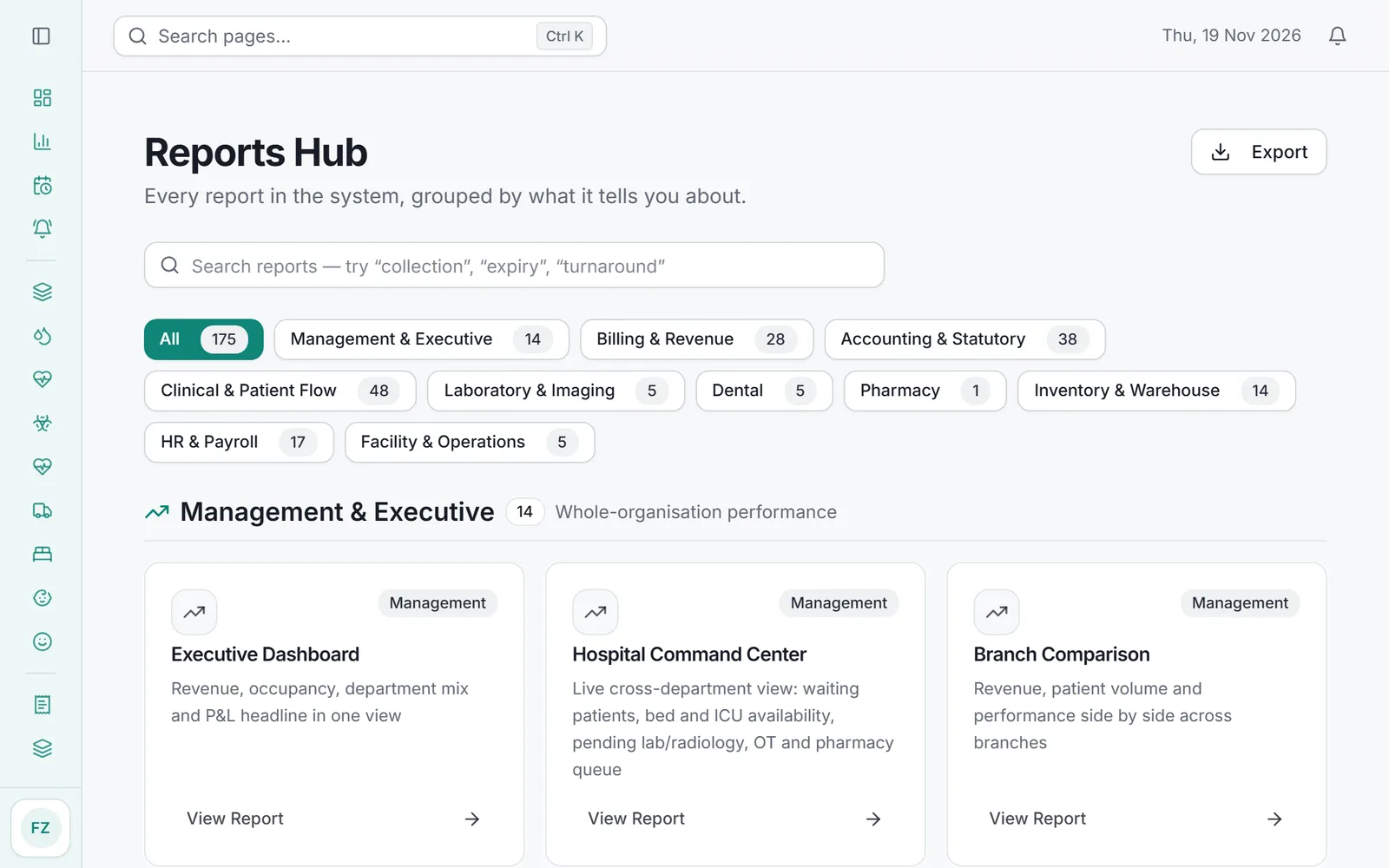
What does the reports and analytics module do?
Report hub
Reports grouped by department, each a click from the hub.
Revenue reports
Collections, invoices and revenue by department and doctor.
Clinical registers
Admissions, discharges, emergency and statutory registers.
Pharmacy and stock
Sales, expiry, stock movement and valuation.
HR and payroll
Attendance, payroll and doctor earnings statements.
Export
Filter and export to Excel for further analysis.
How does it work, step by step?
- 01Choose
Pick a report from the hub.
- 02Filter
Set dates, department or doctor.
- 03Review
Read the figures on screen.
- 04Export
Download to Excel.
What changes with one system?
| Task | Paper or separate systems | With HealthOS 24 |
|---|---|---|
| Finding reports | Reports are requested from each department and arrive in different formats. | Over 160 reports grouped by department, each a click from the hub. |
| Revenue figures | Revenue figures are compiled from several systems into a spreadsheet. | Collections, invoices and revenue by department and doctor in one hub. |
| Registers | Statutory registers are kept in books and totalled by hand. | Admissions, discharges, emergency and statutory registers are available as reports. |
| Filtering | Each new question means another manual extract. | Filter by date, department or doctor. |
| Export | Data is retyped into spreadsheets for further analysis. | Reports can be filtered and exported to Excel. |
What do hospitals ask about reports and analytics?
How many reports are included?
More than 160 reports across clinical, revenue, pharmacy, stores, HR and finance.
Can reports be exported?
Yes. Reports can be filtered and exported to Excel.
See reports and analytics on your own workflow.
We walk you through it with your departments, rates and reports in mind.